How to Build a Fully Responsive Website Without Frameworks – Pure HTML/CSS Guide
Learn how to create a responsive website from scratch using only HTML and CSS—no frameworks needed! Perfect for beginners and pros looking for clean, lightweight code.
Build a Responsive Website Without Frameworks: Pure HTML/CSS Tutorial
Introduction
Have you ever wondered how websites adjust seamlessly to your phone, tablet, or desktop? The secret lies in responsive design. While frameworks like Bootstrap make it easy, mastering pure HTML and CSS gives you full control and better performance.
In this guide, you’ll learn how to build a responsive website without relying on any frameworks. Whether you’re a beginner or an experienced developer, this step-by-step tutorial will help you create fast, flexible, and clean websites. Let’s dive in!
Important Phrases Explained
Responsive Web Design
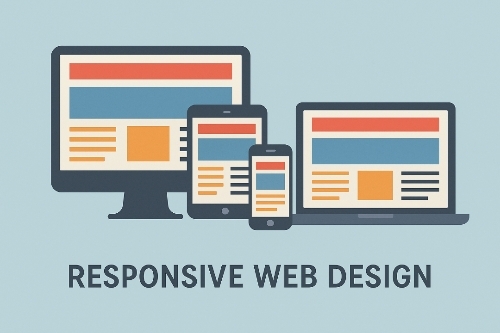
Responsive web design ensures a website looks great on any device by automatically adjusting layouts, images, and text. It uses flexible grids, media queries, and scalable assets to provide an optimal viewing experience.
Media Queries
Media queries are CSS techniques that apply different styles based on screen size, resolution, or device orientation. They are essential for making websites adapt to various displays.
Mobile-First Approach
A mobile-first approach means designing for smaller screens first, then scaling up for larger devices. This strategy improves performance and ensures a better user experience on smartphones.
Flexbox Layout
Flexbox is a CSS layout model that simplifies aligning and distributing space among items in a container. It’s perfect for creating responsive designs without complex code.
Viewport Meta Tag
The viewport meta tag controls how a webpage is displayed on mobile devices. Setting it correctly ensures proper scaling and prevents unwanted zooming or horizontal scrolling.
Questions People Also Asked
- Can I make a responsive website without Bootstrap?
Absolutely! Using pure HTML and CSS with media queries and flexible layouts, you can build fully responsive websites without frameworks like Bootstrap.
- What is the simplest way to make a website responsive?
Start with a mobile-first approach, use relative units (like percentages), and implement media queries to adjust styles for different screen sizes.
- Do I need JavaScript for responsive design?
No, basic responsive design relies on HTML and CSS. JavaScript can enhance interactivity but isn’t necessary for layout adjustments.
- Why avoid frameworks for responsive design?
Frameworks add extra code that may slow down your site. Pure HTML/CSS offers better performance, cleaner code, and full customization.
- How do I test my responsive website?
Use browser developer tools to simulate different devices or test on actual smartphones, tablets, and desktops for accuracy.
Step-by-Step Guide to Building a Responsive Website
- Set Up the Basic HTML Structure
Start with a clean HTML5 template. Include the viewport meta tag to ensure proper scaling on mobile devices.
html
<!DOCTYPE html>
<html lang=”en”>
<head>
<meta charset=”UTF-8″>
<meta name=”viewport” content=”width=device-width, initial-scale=1.0″>
<title>Responsive Website</title>
<link rel=”stylesheet” href=”styles.css”>
</head>
<body>
<!– Your content goes here –>
</body>
</html>
- Use Flexible Layouts with CSS
Avoid fixed widths. Instead, use percentages or viewport units (vw, vh) for flexible containers.
css
.container {
width: 100%;
max-width: 1200px;
margin: 0 auto;
padding: 0 20px;
}
- Implement Media Queries
Adjust styles for different screen sizes. Here’s an example for tablets and desktops:
css
/* Mobile styles (default) */
body { font-size: 16px; }
/* Tablet (768px and up) */
@media (min-width: 768px) {
body { font-size: 18px; }
}
/* Desktop (1024px and up) */
@media (min-width: 1024px) {
body { font-size: 20px; }
}
- Optimize Images for Responsiveness
Ensure images scale properly by setting max-width to 100%.
css
img {
max-width: 100%;
height: auto;
}
- Use Flexbox for Alignment
Flexbox simplifies responsive layouts. Here’s how to create a flexible navigation menu:
css
nav {
display: flex;
justify-content: space-between;
align-items: center;
flex-wrap: wrap;
}
- Test Across Devices
Always test your website on real devices and use browser tools to check different screen sizes.
Summary
Building a responsive website without frameworks is easier than you think. By using pure HTML and CSS, you gain better control, faster load times, and cleaner code. Start with a mobile-first approach, use flexible layouts, and apply media queries to adapt to different screens. With these techniques, you can create professional, responsive websites without relying on heavy frameworks.
#WebDevelopment #HTML #CSS #ResponsiveDesign #NoFrameworks #FrontEnd #WebDesign #Coding #MobileFirst #DevTips