Why Internet Explorer Still Haunts Developers in 2025: The Ultimate Browser Compatibility Survival Guide
70% of developers call IE their biggest nightmare – here’swwh
Discover the real cost of browser compatibility issues in 2025. Learn practical strategies to handle legacy browsers like IE, implement polyfills, and build websites that work everywhere without breaking your budget or sanity.
Introduction
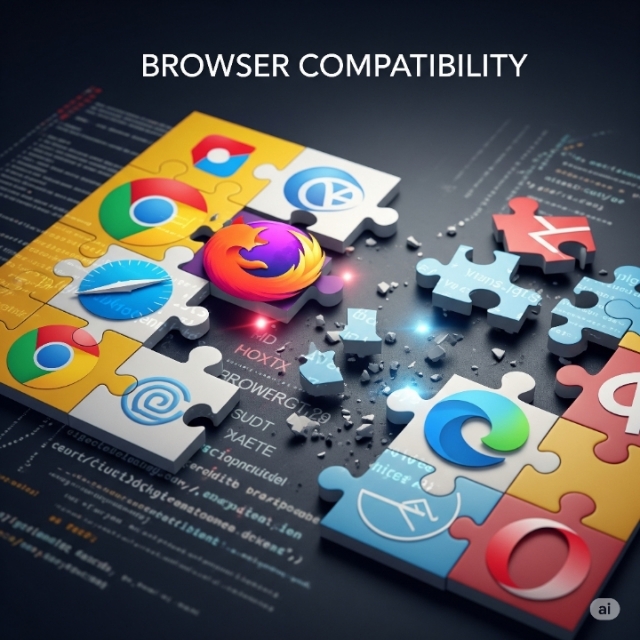
Picture this: You’ve just launched your stunning new website. It looks perfect on Chrome, Safari, and Firefox. Then your client calls, furious. Half their customers can’t use the shopping cart because they’re still running Internet Explorer 11.
Welcome to the browser compatibility nightmare that keeps developers awake at night.
Despite Microsoft officially ending support for Internet Explorer in 2022, 3% of users still use IE11 worldwide. That might sound small, but for a company with millions of users, we’re talking about real people and real revenue.
I’ve been wrestling with this problem for over a decade, and honestly, it’s gotten both easier and harder. Easier because we have better tools now. Harder because the web has become incredibly complex.
Today, I want to share what I’ve learned about making websites work everywhere, without losing your mind or your budget.
The Hidden Cost of Browser Wars
Here’s something most articles won’t tell you: the biggest browser compatibility problem isn’t technical – it’s political.
I once worked with a Fortune 500 company where the IT department mandated Internet Explorer for “security reasons.” Meanwhile, the marketing team demanded cutting-edge animations and modern layouts. Guess who got stuck in the middle?
Internet Explorer was found to be the most troublesome browser by 70% of the respondents in a recent MDN survey. But it’s not just IE anymore. Safari on iOS has its own quirks. Chrome updates so frequently that something breaks every few months.
The real challenge isn’t supporting old browsers. It’s supporting all browsers while still building something innovative and fast.
Why Legacy Browsers Refuse to Die
You might wonder why anyone still uses Internet Explorer in 2025. The answer is more complex than “people are stubborn.”
Large corporations often run specialized software that only works with specific browser versions. Government agencies have security protocols that take years to update. Some people genuinely don’t know they have other options.
And here’s the kicker: these users often have the most buying power. The executive using IE at work? They might be your biggest customer.
The Modern Developer’s Dilemma
Building for browser compatibility used to be straightforward. You’d write conservative HTML, test in IE, and call it done.
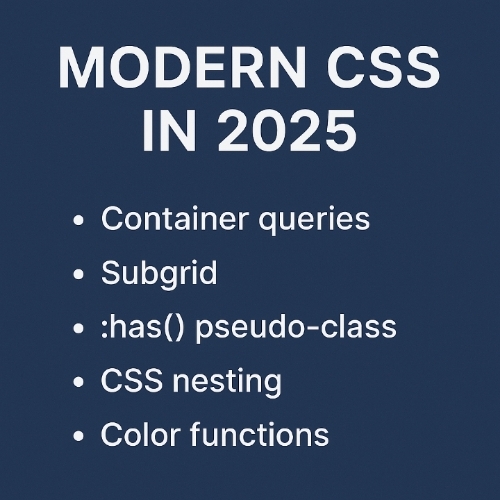
Now? You’re juggling CSS Grid (which IE doesn’t understand), ES6 JavaScript features, WebGL, and Progressive Web App functionality. Meanwhile, you need everything to gracefully degrade for users on decade-old browsers.
It’s like being asked to build a Tesla that also works as a horse and buggy.
Practical Strategies That Actually Work
After years of trial and error, I’ve developed an approach that keeps everyone happy:
Start with the basics. Build your core functionality using technologies that work everywhere. HTML forms, basic CSS, simple JavaScript. Make sure your site is usable with just these fundamentals.
Then layer on the fancy stuff. Use feature detection to add animations, complex layouts, and modern interactions for browsers that can handle them.
I call it the “wedding cake approach.” The bottom layer feeds everyone. The fancy decorations on top are just bonuses.
Feature detection is your best friend. Instead of trying to guess which browser your user has, test whether specific features exist. Libraries like Modernizr make this easy.
Don’t try to make everything identical across browsers. Focus on making everything functional. Your site doesn’t need to look pixel-perfect in IE as long as users can complete their tasks.
Important Phrases Explained
Progressive Enhancement:
This is your secret weapon for browser compatibility. Progressive enhancement means starting with a basic version that works everywhere, then adding improvements for better browsers. Think of it like building a house – you start with a solid foundation, then add the fancy fixtures. It involves building a simple, baseline version of your website that works on all browsers and then adding enhancements for browsers that support more advanced features. This approach ensures nobody gets left behind while still letting you use cutting-edge features.
Polyfills:
A polyfill is code that provides modern functionality to older browsers. A polyfill is essentially a code snippet that adds functionality to browsers that do not support certain web standards and can be applied to JavaScript, HTML, or CSS. Think of it as a translator that teaches old browsers new tricks. For example, if you want to use CSS Grid in Internet Explorer, you’d include a polyfill that mimics Grid behavior using older CSS techniques.
Graceful Degradation:
This is the opposite of progressive enhancement, but equally important. Graceful degradation means building for modern browsers first, then ensuring older browsers get a simpler but still functional experience. It’s like having a backup plan – if the fancy features don’t work, users still get core functionality. The key is making sure the “degraded” experience doesn’t feel broken or incomplete.
Feature Detection:
Instead of trying to guess which browser someone is using, feature detection tests whether specific capabilities exist. It’s much more reliable than browser detection because it focuses on “can you do this?” rather than “what browser are you?” Modern JavaScript provides built-in ways to test for most features, and libraries make complex detection easier. This approach prevents assumptions that break when browsers update or behave unexpectedly.
Cross-Browser Testing:
This involves systematically checking your website across different browsers, devices, and operating systems to ensure consistent functionality. It’s not just about opening your site in different browsers on your computer – you need to test on real devices, different screen sizes, and various network conditions. Many developers use automated testing tools and cloud-based browser labs to make this process manageable without owning dozens of devices.
Questions Also Asked by Other people Answered:
How do I know which browsers I need to support?
Check your analytics data to see what your actual users are using, but don’t rely solely on current data. Consider your target audience – B2B sites often need more legacy browser support than consumer sites. Government and healthcare clients frequently require Internet Explorer compatibility. Create a browser support policy based on user impact and development cost. A good rule of thumb is supporting browsers used by at least 1-2% of your audience, but adjust based on business requirements.
What’s the difference between polyfills and shims?
The term shim was also used for early polyfills. However, to Sharp shim connoted non-transparent APIs and workarounds while polyfills specifically replicate standard APIs. A polyfill implements a missing web standard using the same API, so your code works identically across browsers. A shim might provide similar functionality but with a different interface. Most developers use these terms interchangeably now, but technically polyfills are more standardized.
Is it worth supporting Internet Explorer in 2025?
It depends on your audience and business goals. 3% of users still use IE11, despite its upcoming end-of-life but these users might be crucial to your business. E-commerce sites serving older demographics or B2B applications often can’t ignore IE users. However, full IE support is expensive and limits innovation. Consider offering basic functionality to IE users while providing the full experience to modern browser users.
How can I test my website without owning every browser?
Use browser testing services like BrowserStack, Sauce Labs, or LambdaTest that provide access to hundreds of browser and device combinations. Many offer free tiers for basic testing. For local testing, use browser developer tools to simulate different devices and network conditions. Virtual machines can help test older browser versions, though cloud solutions are usually more practical and comprehensive.
Should I use CSS frameworks for better browser compatibility?
CSS frameworks like Bootstrap or Foundation can help with compatibility by providing tested, cross-browser code, but they’re not magic solutions. They add weight to your site and might include features you don’t need. Polyfills help ensure compatibility across different browsers, but they can also introduce potential performance issues, increase the bundle size, and create maintenance challenges. Choose frameworks based on your team’s expertise and project requirements, not just compatibility concerns.
Summary
Browser compatibility remains one of web development’s biggest challenges in 2025, but it’s manageable with the right approach. The key is balancing innovation with accessibility – you don’t need to sacrifice modern features to support legacy browsers.
Start with progressive enhancement, building a functional base experience that works everywhere, then layer on improvements for capable browsers. Use feature detection instead of browser detection, and don’t be afraid of polyfills for critical functionality.
Remember that perfect pixel-level consistency across all browsers is neither necessary nor cost-effective. Focus on ensuring all users can complete core tasks, even if the experience varies slightly.
The most important lesson? Know your audience. A startup targeting young professionals can probably ignore Internet Explorer completely, while an enterprise application might need full IE11 support. Let business requirements, not perfectionism, guide your compatibility decisions.
Testing tools and cloud services have made cross-browser compatibility more manageable than ever. Take advantage of these resources instead of trying to own every device and browser version yourself.
Browser compatibility isn’t going away, but neither is innovation. With smart planning and practical techniques, you can build websites that work for everyone without compromising your vision or timeline.
#BrowserCompatibility #WebDevelopment #CrossBrowserTesting #ProgressiveEnhancement #Polyfills #InternetExplorer #WebDesign #Frontend #JavaScript #ResponsiveDesign