Why Progressive Web Apps Are Taking Over in 2025: Complete Beginner’s Guide (PWAs Explained)
“PWAs combine websites and mobile apps—here’s why everyone’s switching in 2025.”
“Companies saw 300% engagement boosts with this web technology most people ignore.”
Learn why Progressive Web Apps (PWAs) are dominating 2025. Get step-by-step building guides, real success stories from Twitter & Starbucks, cost comparisons, and expert tips for beginners.
Introduction
Last month, I watched a small bakery in downtown Portland completely transform their business with something most people had never heard of. They didn’t build a fancy mobile app or spend thousands on development. Instead, they created what’s called a Progressive Web App, and their online orders tripled within six weeks.
You’re probably wondering what the heck a Progressive Web App is and why I’m so excited about it.
Here’s the thing: PWAs are quietly becoming the biggest shakers in web development, and most businesses don’t even know they exist. The PWA market is exploding, growing from $3.53 billion in 2024 to a projected $21.44 billion by 2033, with some estimates showing even higher growth rates of 30.8% annually.
But here’s what really matters: PWAs solve the biggest headache every business faces online which is getting people to actually use their website like they would use an app.
Think about it. When you visit most websites on your phone, what happens? They load slowly, you can’t use them offline, and they feel clunky compared to real apps. PWAs fix all of that while costing a fraction of what native mobile apps cost to build.
By the end of this guide, you’ll understand exactly what PWAs are, why companies like Twitter and Starbucks are going all-in on them, and how you can build your own, even if you’re a complete beginner.
Let’s dive in.
What is a Progressive Web App (PWA)?
A Progressive Web App is basically a website that acts like a mobile app. But that simple explanation doesn’t do it justice.
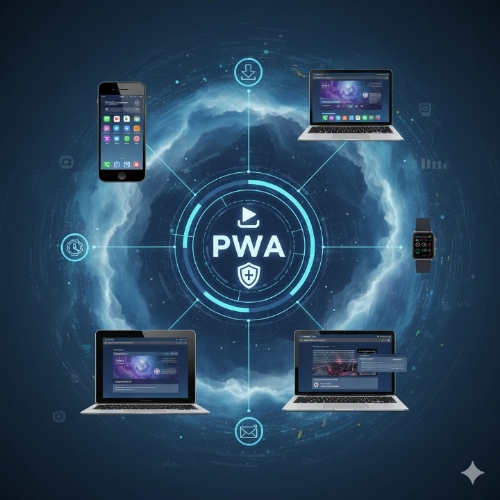
PWAs use modern web technologies to deliver an app-like experience through your web browser. You can install them on your phone’s home screen, they work offline, they send push notifications, and they load lightning-fast, just like native apps.
The “progressive” part means they work for every user, regardless of browser choice, because they’re built with progressive enhancement as a core principle. If your browser supports advanced features, you get the full experience. If not, you still get a functional website.
Here’s what makes PWAs different from regular websites:
They’re installable directly from your browser without going through app stores. They work offline or with poor internet connections. They feel responsive and fast like native apps. They can send push notifications to re-engage users.
Major companies are seeing incredible results, Twitter’s load time dropped to just 4 seconds, and Starbucks saw their orders double after switching to PWAs.
Some companies you probably use every day have PWAs: Twitter Lite, Pinterest, Spotify, Uber, Starbucks, and hundreds of others.
The difference is striking when you experience it firsthand. A well-built PWA feels indistinguishable from a native app, but works across all devices and platforms.
Key Features of PWAs Every Beginner Should Know
Understanding PWAs starts with knowing their core features. These aren’t just buzzwords, they’re the actual technologies that make PWAs work.
Service Workers for Offline Functionality:
Service workers are scripts that run in the background, separate from your web page. They’re like a proxy between your app and the internet. When someone visits your PWA, the service worker caches important files and data. Later, when they lose internet connection, the service worker serves up the cached content so the app keeps working.
App-like Experience:
PWAs can be installed directly from the browser. When someone visits your PWA, they’ll see an “Add to Home Screen” prompt. Once installed, your PWA appears on their home screen with its own icon, launches in fullscreen mode, and feels just like a native app.
They also support push notifications, so you can re-engage users even when they’re not actively using your app.
Fast Loading and Performance:
PWAs use several techniques to load blazingly fast. They cache resources using service workers, lazy-load content, and use app shell architecture, loading the basic structure first, then filling in the content. This makes them feel instant.
Secure Connections (HTTPS):
All PWAs must be served over HTTPS. This isn’t just a requirement, it’s what makes all the other features possible. Service workers, push notifications, and installation only work with secure connections.
Responsive Design:
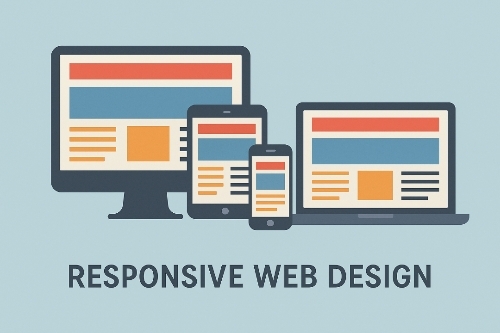
PWAs work seamlessly across all screen sizes and device types. Whether someone’s using a phone, tablet, or desktop, the experience adapts perfectly.
These features work together to create something that feels magical to users, a “website” that works offline, loads instantly, and feels like a real app.
Benefits of Progressive Web Apps for Businesses:
The business case for PWAs isn’t theoretical, it’s backed by real numbers from companies that made the switch.
Lower Development and Maintenance Costs:
Building a PWA costs significantly less than developing separate native apps for iOS and Android. You write code once and it works everywhere. No need to maintain multiple codebases, deal with app store approvals, or update different versions.
A typical native app development project might cost $50,000-$200,000. A PWA with similar functionality often costs 30-50% less.
Improved SEO and Mobile Performance:
PWAs are websites at their core, so search engines can crawl and index them normally. Unlike native apps that are invisible to search engines, PWAs help you maintain and improve your search rankings.
PWAs now support advanced features like offline functionality, AI integration, and enhanced security, making them equivalent to native apps while maintaining SEO benefits.
Increased User Engagement and Conversions:
Companies implementing PWAs have seen user engagement increase by up to 300% and bounce rates decrease by 50%. The app-like experience keeps people on your site longer and encourages return visits.
Case Study: E-commerce PWA Success:
E-commerce sites see some of the biggest wins with PWAs. Users can browse products, add items to cart, and even complete purchases offline. When they reconnect, the PWA syncs the data.
Starbucks created a PWA that uses just 1% of the data their native app required, making it perfect for users on limited data plans or slower networks. This accessibility led to significant increases in orders and customer satisfaction.
The combination of reduced development costs and improved user metrics makes PWAs attractive for businesses of all sizes.
Progressive Web Apps vs Native Apps: Which is Better?
This is the question everyone asks, and the answer is: it depends on what you’re trying to achieve.
PWA Advantages:
PWAs work across all platforms with a single codebase. They’re discoverable through search engines. Users don’t need to download them from app stores. Updates happen automatically in the background. Development and maintenance costs are lower.
Native App Advantages:
Native apps have access to more device features (camera, contacts, GPS with higher precision). They can perform better for graphics-intensive applications. App store distribution can provide marketing benefits. Some advanced platform-specific features aren’t available to PWAs yet.
Cost Comparison:
Here’s where PWAs really shine. Building native apps for both iOS and Android typically requires:
– Two development teams or developers skilled in both platforms
– Separate testing and quality assurance processes
– Ongoing maintenance for multiple codebases
– App store fees and approval processes
PWAs require:
– One development team using web technologies
– Single codebase to maintain
– No app store fees
– Instant deployment of updates
When to Choose PWAs:
PWAs make sense when you want broad reach across all devices, need quick deployment, have budget constraints, want to maintain SEO benefits, or don’t need advanced device-specific features.
Choose native apps when you need intensive graphics performance, require specific platform features, have a large budget, or are building games or AR/VR applications.
For most businesses, especially those focused on content, e-commerce, or services, PWAs offer the best balance of functionality, cost, and reach.
Why PWAs are Perfect for Small Businesses and Startups:
Small businesses and startups often face a classic dilemma: they need mobile presence to compete, but native app development is expensive and risky.
PWAs solve this perfectly.
Affordable Development:
A small restaurant can create a PWA that lets customers view menus, place orders, and receive notifications about daily specials, all for a fraction of native app costs. The same PWA works whether customers are using iPhones, Android phones, or desktop computers.
Competing with Big Brands:
PWAs level the playing field. A small local business can offer an app-like experience that rivals major corporations without the massive development budget.
Best PWA Use Cases for Small Businesses:
Restaurants: Menu browsing, online ordering, reservation systems, loyalty programs, and daily special notifications.
Online Stores: Product catalogs, shopping carts that work offline, wishlist functionality, and order tracking.
Service Providers: Appointment booking, service descriptions, portfolio galleries, and client communication tools.
Local Businesses: Store locators, business hours, contact information, and promotional notifications.
The key is that customers get a premium experience without the friction of downloading and installing traditional apps.
Small businesses often see the biggest impact because they can move quickly, implement PWAs faster than larger organizations, and directly measure the results in their daily operations.
How to Build a Progressive Web App (Step by Step)
Building a PWA might sound intimidating, but it’s more accessible than you think. Here’s a practical approach for beginners.
Tools and Frameworks to Get Started:
The easiest way to build PWAs is using frameworks that handle much of the complexity:
React: Create React App has built-in PWA support. Run `npx create-react-app my-pwa` and you get service worker setup automatically.
Vue: Vue CLI includes PWA presets that configure everything you need.
Angular: Angular CLI can add PWA features to any Angular project with a single command.
For those preferring vanilla JavaScript, tools like Workbox make service worker implementation much simpler.
Basic Code Example:
Here’s what a simple PWA looks like:
Your main HTML file needs a web app manifest:
“`
<link rel=”manifest” href=”/manifest.json”>
“`
The manifest.json file describes your app:
“`
{
“name”: “My PWA”,
“short_name”: “MyPWA”,
“start_url”: “/”,
“display”: “standalone”,
“background_color”: “#ffffff”,
“theme_color”: “#000000”,
“icons”: [
{
“src”: “/icon-192.png”,
“sizes”: “192×192”,
“type”: “image/png”
}
]
}
“`
Register a service worker:
“`
if (‘serviceWorker’ in navigator) {
navigator.serviceWorker.register(‘/sw.js’);
}
“`
Best Practices for Beginners:
Start simple, focus on making your existing website installable first. Add offline functionality gradually. Test on real devices, not just desktop browsers. Use browser dev tools to audit PWA features. Implement HTTPS from day one.
The most important advice: don’t try to build everything at once. Start with a basic installable web app, then add features like offline support and push notifications as you learn.
Progressive Web App Examples in 2025:
Looking at successful PWAs helps understand what’s possible and what works well.
Twitter Lite
Twitter’s PWA achieved remarkable results: 250,000 users engaging at least four times daily, 75% increase in tweets sent, 20% decrease in bounce rate, 70% increase in scroll depth, and 65% increase in pages per session.
Twitter Lite loads in under 3 seconds on slow networks, uses minimal data, and works offline. Users can compose tweets offline and they’re sent when connectivity returns.
Pinterest’s PWA increased time spent on site by 40% and user-generated ad revenue by 44%. The app shell loads instantly, and images are lazy-loaded for optimal performance.
Starbucks
The Starbucks PWA lets customers browse menus, customize orders, and add items to their cart, all while offline. Once online, orders can be completed and paid for. This offline-first approach dramatically expanded their reach to users with unreliable internet connections.
Uber
Uber’s PWA is designed for emerging markets with slower networks. It loads in less than 3 seconds on 2G networks and the core functionality works offline. Users can request rides even with intermittent connectivity.
Lessons Businesses Can Learn:
Successful PWAs prioritize speed and reliability over fancy features. They focus on core user tasks that provide immediate value. They’re designed for the worst network conditions, not the best.
The most effective PWAs solve specific problems, Twitter’s data usage, Pinterest’s engagement, Starbucks’ offline ordering, Uber’s connectivity issues.
SEO Advantages of Progressive Web Apps:
PWAs offer unique SEO benefits that native apps simply can’t match.
How PWAs Improve Website Speed and Rankings:
Page speed is a ranking factor, and PWAs are built for speed. Service workers cache resources, reducing load times for returning visitors. The app shell architecture loads instantly, while content fills in progressively.
Google specifically recognizes and rewards fast-loading websites. PWAs often see immediate improvements in Core Web Vitals scores.
Mobile-First Indexing and PWA Compatibility:
Google’s mobile-first indexing means they primarily use the mobile version of sites for ranking. PWAs are inherently mobile-optimized, giving them an advantage in search results.
PWAs also benefit from enhanced search features. Google can show installation prompts directly in search results for qualifying PWAs.
SEO Optimization Tips for PWAs:
Ensure all content is accessible without JavaScript for search engine crawlers. Use proper meta tags and structured data. Implement clean URLs that work with and without the app shell. Make sure your PWA provides a complete experience for users coming from search engines.
The key advantage is that PWAs get the discoverability benefits of websites plus the engagement benefits of apps.
Cost of Building a Progressive Web App in 2025:
Understanding PWA development costs helps with planning and budgeting.
Estimated Cost Ranges
DIY approach using frameworks and templates: $500-$5,000 (mostly time investment)
Hiring freelance developers: $5,000-$25,000
Working with development agencies: $15,000-$75,000
Enterprise-level PWAs with complex features: $50,000-$150,000+
These ranges are significantly lower than native app development, which typically starts at $25,000 and often exceeds $100,000 for anything beyond basic functionality.
Factors Influencing PWA Development Cost:
Complexity of features and functionality affects cost most dramatically. Simple content-based PWAs cost less than complex e-commerce or service applications.
Design requirements impact cost, custom designs cost more than template-based approaches. Integration with existing systems, databases, or third-party services adds complexity and cost.
The number of platforms and browsers you need to support can increase testing time and costs.
Finding Affordable PWA Development Services:
Look for developers experienced specifically with PWAs, not just general web development. Many traditional web developers are still learning PWA-specific technologies.
Consider working with agencies in regions with lower development costs but strong technical skills. Countries like Ukraine, Poland, and India have excellent PWA development capabilities at competitive prices.
For startups and small businesses, starting with a template-based approach or using PWA-focused platforms can provide significant cost savings.
Beginner-Friendly Resources to Learn More:
Learning PWA development is easier than ever with quality resources available.
Recommended Tutorials and Blogs:
Google’s PWA documentation provides comprehensive guides and real-world examples. Mozilla Developer Network (MDN) has excellent technical documentation on service workers and web app manifests.
For practical tutorials, websites like web.dev offer step-by-step PWA building guides with real code examples.
Communities and Forums:
Reddit’s r/webdev community actively discusses PWA development. Stack Overflow has thousands of PWA-related questions and answers. GitHub hosts numerous open-source PWA projects you can study and contribute to.
PWA Slack communities and Discord servers provide real-time help and networking opportunities with other developers.
Tools for Testing and Optimizing PWAs:
Chrome DevTools includes a PWA audit feature that checks for PWA requirements and suggests improvements. Lighthouse audits provide detailed performance and PWA compliance reports.
PWABuilder by Microsoft helps convert existing websites into PWAs and provides validation tools.
Browser compatibility testing services like BrowserStack help ensure your PWA works across different devices and browsers.
Links to Official Documentation:
Start with Google’s PWA fundamentals documentation, then explore Mozilla’s service worker guides. Apple’s Safari team provides PWA support documentation for iOS devices.
The key is to start building something simple while learning. Theory only goes so far, hands-on experience with real PWA development teaches you what actually works.
Important Phrases Explained:
Service Workers:
Service workers are JavaScript files that act as a proxy between your web app and the network. They run in the background, separate from your main application thread, and can intercept network requests, cache resources, and enable offline functionality. Think of them as a personal assistant that keeps your app running smoothly even when the internet isn’t cooperating.
App Shell Architecture:
App shell architecture is a design approach where you separate your app’s basic structure (the shell) from its dynamic content. The shell includes the navigation, layout, and core interface elements that load instantly, while the content fills in afterward. This creates the perception of instant loading because users see the familiar interface immediately.
Web App Manifest:
The web app manifest is a JSON file that provides metadata about your PWA to the browser. It defines how your app should appear when installed on a user’s device, including the app name, icons, colors, and display preferences. It’s like a business card that tells the browser “this is an app, not just a website.”
Progressive Enhancement:
Progressive enhancement is a development philosophy where you start with a basic, functional experience that works for everyone, then layer on advanced features for browsers that support them. In PWA context, this means your app works as a regular website first, then becomes more app-like as browser capabilities allow.
Cache-First Strategy:
Cache-first strategy is an approach where your PWA checks its local cache for requested resources before trying to fetch them from the network. This makes your app load faster for returning visitors and enables offline functionality. It’s like having a well-stocked pantry, you check what’s available at home before going to the store.
Questions Also Asked by Other People Answered:
Do PWAs work on iPhones?
Yes, PWAs work on iPhones, though with some limitations compared to Android. iOS Safari supports PWA installation, offline functionality, and most core features. However, iOS doesn’t support push notifications for PWAs yet, and some advanced features are limited. Despite these restrictions, millions of iPhone users successfully use PWAs like Twitter Lite and Pinterest daily.
Can PWAs access device features like camera and GPS?
Modern PWAs can access many device features including camera, microphone, GPS location, accelerometer, and device orientation through web APIs. However, the level of access isn’t quite as deep as native apps. For most business applications, like photo uploads, location services, or basic sensor data, PWAs provide sufficient functionality.
How do users discover and install PWAs?
Users discover PWAs primarily through web searches, social media links, or direct website visits. When they visit a qualifying PWA, browsers show an installation prompt or “Add to Home Screen” option. Unlike native apps, users don’t need to visit app stores, though some PWAs are now available in app stores as well for additional discovery.
Are PWAs secure for handling sensitive data?
PWAs are as secure as any modern web application when properly implemented. They require HTTPS connections, use standard web security practices, and can implement the same authentication and encryption as traditional websites. For most business applications, PWAs provide adequate security. However, apps handling extremely sensitive data might still prefer native development for additional control.
What happens to PWAs when users clear their browser data?
When users clear their browser data, PWAs lose their cached content and stored data, just like regular websites lose cookies and cached files. However, the PWA itself remains installed and functional, it will just need to reload content from the network. This is similar to how clearing cache affects any web application, and proper PWA design accounts for this scenario.
Summary:
Progressive Web Apps represent a fundamental shift in how we think about web and mobile development. They bridge the gap between websites and native apps, offering businesses a cost-effective way to provide premium mobile experiences without the complexity and expense of traditional app development.
The numbers speak for themselves, the PWA market is experiencing explosive growth, with projections showing it will reach over $20 billion by 2033. Companies like Twitter, Starbucks, and Pinterest have demonstrated that PWAs can deliver native app-like experiences while maintaining the reach and discoverability of websites.
For businesses, PWAs offer compelling advantages: significantly lower development costs, broader device compatibility, improved SEO performance, and the ability to update instantly without app store approvals. Small businesses and startups particularly benefit from PWAs because they can compete with larger companies’ mobile experiences without massive development budgets.
The technology has matured considerably. Modern PWAs support offline functionality, push notifications, device integration, and performance that rivals native apps. Development tools and frameworks have evolved to make PWA creation accessible to developers with standard web development skills.
Success with PWAs comes down to focusing on core user needs, prioritizing performance and reliability, and designing for the worst network conditions rather than the best. The most successful PWAs solve specific problems and provide immediate value to users.
Whether you’re a developer looking to expand your skills, a business owner considering mobile strategy, or an entrepreneur planning your next project, PWAs deserve serious consideration. They represent the future of cross-platform development—delivering app-quality experiences through the open web.
The best time to explore PWAs was five years ago. The second best time is now.
#ProgressiveWebApps #PWA #WebDevelopment #MobileDevelopment #AppDevelopment #WebTechnology #CrossPlatform #StartupTech #SmallBusiness #DigitalTransformation