Top 10 Web Development Tools in 2025: Boost Productivity and Master Modern Tech Trends
Discover the top 10 web development tools in 2025 that every developer needs! Learn how these tools enhance productivity, collaboration, and coding efficiency. Perfect for beginners and pros alike!
Introduction:
Web development is an ever-evolving field, and staying ahead of the curve requires the right tools. As we approach 2025, the landscape of web development is being reshaped by innovative technologies and tools designed to streamline workflows, enhance collaboration, and deliver cutting-edge results. Whether you’re a seasoned developer or just starting your journey, having the right toolkit can make all the difference.
In this article, we’ll explore the top 10 tools for web developers in 2025. From coding and design to testing and project management, these tools are revolutionizing the way developers work. We’ll dive into their key features, real-world applications, and how they address the latest trends in web development. Plus, we’ll provide tips for beginners on choosing the right tools and overcoming common challenges. Let’s get started.
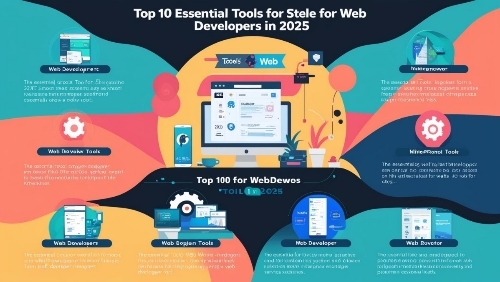
Top 10 Tools for Web Developers in 2025:
- Visual Studio Code (VS Code):
– Purpose: A versatile code editor for building modern web applications.
– Key Features: IntelliSense for smart code completion, built-in Git integration, and a vast library of extensions.
– Why It Stands Out in 2025: VS Code continues to dominate with its lightweight design and seamless integration with AI-powered coding assistants.
– Tasks: Writing and debugging code, version control, and collaborating with teams.
– User Testimonials: “VS Code has become my go-to editor for its speed and flexibility.” – Sarah, Full-Stack Developer.
– Pricing: Free.
– Integration: Works with GitHub, Docker, and Azure.
– Trends Addressed: AI-assisted coding and real-time collaboration.
– Learning Resources: Official documentation and YouTube tutorials.
- Figma:
– Purpose: A collaborative design tool for creating user interfaces.
– Key Features: Real-time collaboration, prototyping, and design systems.
– Why It Stands Out in 2025: Figma’s cloud-based platform makes it ideal for remote teams.
– Tasks: Designing responsive layouts, creating prototypes, and sharing feedback.
– User Testimonials: “Figma has transformed how our team designs and iterates on projects.” – John, UI/UX Designer.
– Pricing: Free for basic use; paid plans for teams.
– Integration: Integrates with Slack, Jira, and Zeplin.
– Trends Addressed: Remote collaboration and design-to-code workflows.
– Learning Resources
: Figma’s community tutorials and webinars.
- GitHub Copilot:
– Purpose: An AI-powered coding assistant.
– Key Features: Auto-completes code, suggests optimizations, and supports multiple programming languages.
– Why It Stands Out in 2025: Copilot’s AI capabilities make coding faster and more efficient.
– Tasks: Writing boilerplate code, debugging, and learning new frameworks.
– User Testimonials: “Copilot has cut my coding time in half.” – Alex, Frontend Developer.
– Pricing: Paid subscription.
– Integration: Works with VS Code and JetBrains IDEs.
– Trends Addressed: AI-driven development and faster coding workflows.
– Learning Resources: GitHub’s official guides and community forums.
- Webflow:
– Purpose: A no-code website builder with advanced design capabilities.
– Key Features: Visual editor, CMS, and hosting services.
– Why It Stands Out in 2025: Webflow bridges the gap between designers and developers.
– Tasks: Building responsive websites, managing content, and deploying projects.
– User Testimonials: “Webflow allows me to create professional sites without touching code.” – Emily, Web Designer.
– Pricing: Free for basic use; paid plans for advanced features.
– Integration: Connects with Zapier, Google Analytics, and Mailchimp.
– Trends Addressed: No-code development and responsive design.
– Learning Resources: Webflow University and community forums.
- Cypress:
– Purpose: A testing tool for modern web applications.
– Key Features: Real-time reloading, automatic waiting, and debugging tools.
– Why It Stands Out in 2025: Cypress simplifies end-to-end testing with its intuitive interface.
– Tasks:
Writing and running tests, debugging, and ensuring app reliability.
– User Testimonials: “Cypress has made testing less painful and more efficient.” – Mark, QA Engineer.
– Pricing: Free for open-source projects; paid for commercial use.
– Integration: Works with CI/CD pipelines like Jenkins and CircleCI.
– Trends Addressed: Automated testing and faster deployment cycles.
– Learning Resources: Cypress documentation and online courses.
- Notion:
– Purpose: A project management and documentation tool.
– Key Features: Task management, databases, and collaborative workspaces.
– Why It Stands Out in 2025: Notion’s flexibility makes it a favorite for organizing workflows.
– Tasks: Managing projects, documenting processes, and collaborating with teams.
– User Testimonials: “Notion keeps our team organized and productive.” – Lisa, Project Manager.
– Pricing: Free for personal use; paid for teams.
– Integration: Syncs with Slack, Google Drive, and Trello.
– Trends Addressed: Remote work and streamlined project management.
– Learning Resources: Notion’s templates and tutorials.
- Tailwind CSS:
– Purpose: A utility-first CSS framework.
– Key Features: Pre-designed components, responsive design, and customization.
– Why It Stands Out in 2025: Tailwind’s utility-first approach speeds up frontend development.
– Tasks: Styling websites, creating responsive layouts, and maintaining consistency.
– User Testimonials: “Tailwind has revolutionized how I write CSS.” – David, Frontend Developer.
– Pricing: Free.
– Integration: Works with React, Vue, and Next.js.
– **Trends Addressed**: Faster frontend development and design consistency.
– Learning Resources: Tailwind’s official docs and community forums.
- Netlify:
– Purpose: A platform for deploying and hosting web projects.
– Key Features: Continuous deployment, serverless functions, and CDN.
– Why It Stands Out in 2025: Netlify’s serverless architecture simplifies deployment.
– Tasks: Deploying websites, managing APIs, and optimizing performance.
– User Testimonials: “Netlify makes deployment effortless and reliable.” – Rachel, Backend Developer.
– Pricing: Free for basic use; paid for advanced features.
– Integration: Connects with GitHub, GitLab, and Bitbucket.
– Trends Addressed: Serverless architecture and continuous deployment.
– Learning Resources: Netlify’s blog and video tutorials.
- Storybook:
– Purpose: A tool for building UI components in isolation.
– Key Features: Component library, testing, and documentation.
– Why It Stands Out in 2025: Storybook enhances collaboration between designers and developers.
– Tasks: Building reusable components, testing UI, and documenting designs.
– User Testimonials: “Storybook has improved our component-driven development.” – Tom, UI Developer.
– Pricing: Free.
– Integration: Works with React, Vue, and Angular.
– Trends Addressed: Component-driven development and design systems.
– Learning Resources: Storybook’s official guides and tutorials.
- Postman:
– Purpose: A tool for API development and testing.
– Key Features: API testing, documentation, and monitoring.
– Why It Stands Out in 2025: Postman remains the go-to tool for API workflows.
– Tasks: Testing APIs, documenting endpoints, and debugging.
– User Testimonials: “Postman is essential for our API development process.” – Chris, Backend Developer.
– Pricing: Free for basic use; paid for teams.
– Integration: Works with Swagger, Jenkins, and AWS.
– Trends Addressed: API-first development and microservices.
– Learning Resources: Postman’s learning center and community forums.
Important Questions and Answers:
- What are the best tools for web development?
The best tools for web development in 2025 include Visual Studio Code, Figma, GitHub Copilot, Webflow, Cypress, Notion, Tailwind CSS, Netlify, Storybook, and Postman. These tools cater to coding, design, testing, and project management needs.
- What are 5 essential skills every web developer should have?
– Proficiency in HTML, CSS, and JavaScript.
– Familiarity with version control systems like Git.
– Understanding of responsive design principles.
– Knowledge of APIs and backend integration.
– Problem-solving and debugging skills.
- Is CSS a web development tool?
CSS (Cascading Style Sheets) is a styling language used in web development, not a tool. However, frameworks like Tailwind CSS are tools that simplify CSS usage.
- Which API is good for web development?
RESTful APIs and GraphQL are widely used for web development. Tools like Postman help developers test and manage APIs effectively.
- What are the most significant trends in web development that these tools address?
These tools address trends like AI-assisted coding, no-code development, remote collaboration, serverless architecture, and component-driven design.
- Can you provide examples of how beginners can effectively use these tools in their projects?
Beginners can use VS Code for writing code, Figma for designing interfaces, and Webflow for building websites without coding. These tools offer intuitive interfaces and extensive learning resources.
- What are some common challenges new developers face when using these tools, and how can they overcome them?
Common challenges include steep learning curves and integration issues. Beginners can overcome these by leveraging tutorials, documentation, and community support.
- Are there any emerging tools that might become essential for web developers in the near future?
Emerging tools like AI-powered design assistants and advanced no-code platforms are likely to gain popularity in the coming years.
- How do these tools compare to those used in previous years?
Modern tools are more collaborative, AI-driven, and user-friendly compared to older tools. They also address current trends like remote work and no-code development.
Summary
The top 10 web development tools in 2025 are revolutionizing how developers work, offering solutions for coding, design, testing, and project management. From AI-powered assistants like GitHub Copilot to no-code platforms like Webflow, these tools enhance productivity, collaboration, and efficiency. Beginners can leverage these tools to build modern, responsive websites while staying ahead of industry trends. By choosing the right tools and utilizing available resources, new developers can kickstart their careers and thrive in the ever-evolving world of web development.
#WebDevelopment #WebDesign#CodingTools#NoCode#AIinTech#WebDev2025 #FrontendDevelopment #BackendDevelopment #TechTrends, #LearnToCode