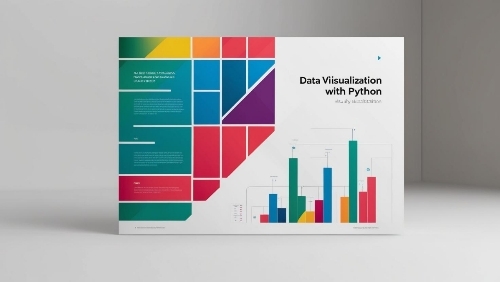
Unlocking Insights: Your Ultimate Guide to Data Visualization with Python
Dive into the world of data visualization with Python! This comprehensive guide walks you through step-by-step, from setting up your environment to creating stunning visuals. Learn best practices, avoid common pitfalls, and transform your data into compelling stories. Perfect for beginners!
Introduction
Data is everywhere, but raw data is just a collection of numbers and words. To truly understand its power, we need to bring it to life. That’s where data visualization comes in. It’s the art and science of transforming data into visual representations, making complex information accessible and engaging. If you’re eager to unlock the secrets hidden within your data, Python is your perfect ally. This comprehensive guide will equip you with the knowledge and skills to master data visualization using Python, even if you’re a complete beginner. We’ll explore popular libraries, walk through practical examples, and empower you to create impactful visualizations that tell compelling stories. Ready to turn data into insights? Let’s dive in!
Step-by-Step Guide to Data Visualization with Python
Data visualization is crucial for enhancing data analysis by revealing patterns, trends, and outliers that might be missed in raw data. Python offers powerful libraries like Matplotlib, Seaborn, and Plotly to achieve this.
1. Setting Up Your Python Environment:
Install Python: If you don’t have it already, download the latest version from python.org.
Use a Package Manager: Tools like pip (Python Package Installer) make installing libraries easy. Open your terminal or command prompt and type: pip install matplotlib seaborn plotly pandas numpy
Jupyter Notebooks (Recommended): Jupyter Notebooks provide an interactive environment for coding and visualizing data. Install it using: pip install notebook
2. Importing Necessary Libraries:
Start your Python script or Jupyter Notebook and import the libraries:
Python
import matplotlib.pyplot as plt
import seaborn as sns
import plotly.express as px
import pandas as pd
import numpy as np
3. Preparing Your Data:
Data often needs cleaning and preprocessing. Pandas is excellent for this:
Python
data = pd.read_csv(“your_data.csv”) # Load data from a CSV file
# Clean and preprocess your data here (more on this later)
4. Basic Visualizations:
Line Chart (Matplotlib): Ideal for showing trends over time.
Python
plt.plot(data[‘x’], data[‘y’])
plt.xlabel(‘X-axis’)
plt.ylabel(‘Y-axis’)
plt.title(‘Line Chart’)
plt.show()
Bar Chart (Seaborn): Useful for comparing categories.
Python
sns.barplot(x=’category’, y=’value’, data=data)
plt.xlabel(‘Category’)
plt.ylabel(‘Value’)
plt.title(‘Bar Chart’)
plt.show()
Scatter Plot (Matplotlib): Great for showing relationships between two variables.
Python
plt.scatter(data[‘x’], data[‘y’])
plt.xlabel(‘X-axis’)
plt.ylabel(‘Y-axis’)
plt.title(‘Scatter Plot’)
plt.show()
Interactive Chart (Plotly): Allows users to interact with the data.
Python
fig = px.scatter(data, x=”x”, y=”y”, title=”Interactive Scatter Plot”)
fig.show()
5. Customizing Visualizations:
Colors: Change colors using parameters like color in Matplotlib and Seaborn, or within the px functions in Plotly.
Labels: Add or modify labels for axes, titles, and legends.
Legends: Customize legend appearance or add one if needed.
6. Best Practices:
Choose the Right Visualization: Select the chart type that best represents your data and the message you want to convey.
Keep it Simple: Avoid clutter and focus on clarity.
Use Clear Labels and Titles: Make your visualizations easy to understand.
Tell a Story: Visualizations should communicate a narrative.
7. Data Cleaning and Preprocessing:
Before visualizing, data often needs cleaning:
Handling Missing Values: Use methods like imputation or removal.
Removing Duplicates: Identify and remove redundant data.
Data Transformation: Convert data to suitable formats.
8. Real-World Applications:
Business: Sales trends, customer demographics, market analysis.
Science: Research data, experimental results, simulations.
Healthcare: Patient data, disease trends, treatment effectiveness.
Finance: Stock market analysis, risk assessment.
9. Interactive Visualizations and Dashboards:
Libraries like Plotly, Dash, and Streamlit allow you to create interactive charts and dashboards, where users can explore data by filtering, zooming, and hovering.
10. Storytelling with Data:
Data visualization isn’t just about creating charts; it’s about telling a story. Use your visualizations to communicate insights and engage your audience.
Types of Data Visualizations and Their Purposes
Line charts: Show trends and changes over time.
Bar charts: Compare values across different categories.
Scatter plots: Reveal relationships between two variables.
Histograms: Show the distribution of a single variable.
Pie charts: Show parts of a whole.
Heatmaps: Visualize the magnitude of data points using color gradients.
Box plots: Show the distribution and quartiles of data.
Common Pitfalls and How to Avoid Them
Clutter: Avoid too many elements, making the visualization difficult to understand.
Misleading Scales: Ensure axes are scaled appropriately to avoid distorting the data.
Incorrect Chart Choice: Choose a chart type that effectively represents the data.
Lack of Context: Provide sufficient information to understand the visualization.
Tips for Choosing the Right Visualization
Consider the data type: Categorical vs. numerical.
Think about the message: What do you want to convey?
Experiment: Try different chart types to see which works best.
Important Questions and Answers:
Explain how to set up a Python environment for data visualization.
First, install Python. Then, use pip to install the necessary libraries like Matplotlib, Seaborn, Plotly, Pandas, and NumPy. Jupyter Notebooks are highly recommended for an interactive experience.
What are some common mistakes beginners make in data visualization?
Common mistakes include cluttering visualizations, using misleading scales, choosing the wrong chart type, and not providing enough context.
Can you provide examples of effective data visualizations in different fields?
Finance: Line charts showing stock prices over time.
Healthcare: Bar charts comparing patient outcomes for different treatments.
Marketing: Scatter plots showing the correlation between ad spend and sales.
How can I make my visualizations more interactive?
Use libraries like Plotly, Dash, or Streamlit to create interactive charts and dashboards. These tools allow users to filter, zoom, and explore data dynamically.
What are some advanced techniques for data visualization I can explore after mastering the basics?
Explore techniques like creating animated visualizations, using 3D plots, or working with geospatial data.
Important Phrases:
1. MS Power BI:
Microsoft Power BI is a business analytics service that provides interactive visualizations and business intelligence capabilities with an easy-to-use interface for end users to create their own reports and dashboards. It is one of the leaders in the business intelligence and data visualization space, enabling users to connect to various data sources, transform data, and create interactive dashboards for insightful decision-making.
2. Data Visualization Examples:
Data visualization examples span a wide range of applications. They can include line charts showing sales trends, bar charts comparing product performance, scatter plots revealing correlations between variables, or even complex network diagrams visualizing relationships between entities. Examples can be found in various fields like finance, healthcare, marketing, and science, each tailored to the specific data and insights being communicated.
3. Tableau Data Visualization:
Tableau is a powerful data visualization tool that allows users to create interactive and visually appealing dashboards and reports. It provides a drag-and-drop interface, making it accessible even to those without coding experience. Tableau connects to various data sources, enabling users to explore, analyze, and present data in a compelling way. It’s a popular choice for businesses seeking to gain insights from their data.
Summary
This guide has provided a comprehensive introduction to data visualization with Python. We’ve covered setting up your environment, exploring key libraries, creating various chart types, and customizing visualizations. We also discussed best practices, common pitfalls, and the importance of storytelling with data. By mastering these fundamentals, you can unlock the power of data and transform it into compelling narratives that drive insights and inform decisions. Continue exploring the resources mentioned to further enhance your data visualization skills.
#DataVisualization #Python #DataScience #DataAnalysis #DataViz #Coding #Programming #Analytics #Insights #BigData