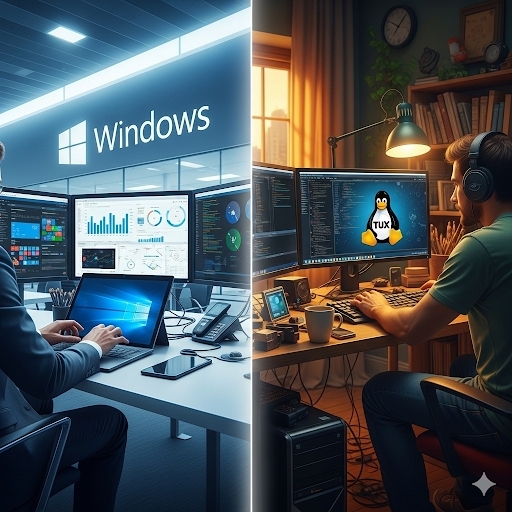
Windows vs. Linux for Developers: Which OS Actually Wins in 2025?
The Developer OS War: Why Your Computer Choice Could Make or Break Your Career
“The operating system debate that splits developer teams worldwide”
Discover the complete Windows vs. Linux comparison for developers. Get real-world insights on performance, development tools, costs, and career impact to make the right choice for your coding journey.
Introduction
Some years ago, I made a decision that nearly cost me a major client contract. I was leading a small development team, and we’d just landed our biggest project yet—building a custom e-commerce platform for a growing retail chain. The client had one specific requirement buried in the fine print: all development work had to be done on Windows machines for security compliance.
The problem? My entire team had been working exclusively on Linux for years. We were Ubuntu devotees, command-line warriors who could navigate file systems blindfolded. The thought of switching to Windows felt like asking a Formula 1 driver to race in a pickup truck.
That’s when I learned something crucial: the operating system you choose as a developer isn’t just about personal preference. It’s about adaptability, understanding different environments, and knowing when to use the right tool for the job. The Windows vs. Linux debate isn’t really a debate at all, it’s about understanding what each platform brings to the table.
After spending thousands of hours working in both environments, managing teams across different operating systems, and watching countless developers struggle with the wrong choice, I’ve learned that the “best” operating system depends entirely on your specific situation, goals, and the type of development work you’re doing.
Let me walk you through everything I’ve discovered about Windows and Linux for developers. We’ll dig into the real differences, explore the practical implications of each choice, and help you make an informed decision that could genuinely impact your career trajectory.
Complete Comparison: Windows vs. Linux for Developers
The Development Environment Reality Check
When I first switched from Windows to Linux back in college, I felt like I’d discovered a secret weapon. The terminal was powerful, package management was elegant, and everything felt designed for developers. But when I entered the professional world, I realized I’d been living in a bubble.
The truth is that both Windows and Linux have evolved dramatically over the past decade. Windows Subsystem for Linux (WSL) has fundamentally changed the Windows development experience, while Linux distributions have become more user-friendly and hardware-compatible than ever before.
Let’s break down what really matters for developers in 2025.
Performance and Resource Management
Linux consistently wins the performance battle, especially for resource management. Linux excels in customization, security, and resource efficiency, making it a popular choice for developers and server environments. I’ve run identical development environments on similar hardware, and Linux typically uses 20-30% less RAM and processes compile noticeably faster.
But here’s where it gets interesting: Windows 11 with WSL2 has closed the gap significantly. For most web development tasks, the performance difference is negligible. Where Linux still shines is in containerized environments and when you’re working with large codebases that require intensive compilation.
If you’re doing data science work, machine learning, or backend development that involves heavy computational tasks, Linux’s efficiency advantage becomes more pronounced. But for front-end development, mobile app development, or general web programming, Windows can hold its own.
Development Tools and Ecosystem
This is where the landscape has changed dramatically. Five years ago, I would have told you that Linux was the clear winner for development tools. Today, it’s much more nuanced.
Windows has Microsoft’s backing, which means excellent integration with Visual Studio, Azure services, and the entire Microsoft ecosystem. If you’re developing .NET applications, working with Microsoft technologies, or building Windows desktop applications, Windows is often the better choice—not just for compatibility, but for access to the best tools and debugging capabilities.
Linux maintains its advantage for open-source development, system programming, and server-side work. The native Unix-like environment means that deployment scripts, shell scripting, and server management tasks often translate directly from development to production.
One area where Windows has made surprising gains is in cross-platform development. With tools like Docker Desktop, VS Code, and WSL, Windows developers can work effectively across multiple platforms without the friction that once existed.
Cost Considerations for Professional Development
Let’s talk money, because this matters for freelancers, small teams, and anyone building their own development setup.
Linux is free. Not just the operating system, but most of the development tools, IDEs, and utilities you’ll use. This can represent thousands of dollars in savings, especially when you’re setting up multiple development machines or running a small team.
Windows comes with licensing costs, but these are often absorbed by employers in professional environments. The bigger cost consideration for Windows is often software licensing for development tools. While many cross-platform tools are available, some Windows-specific IDEs and utilities can add up.
However, there’s a hidden cost consideration that many developers miss: time. If you’re more productive on one platform, the time savings can easily offset licensing costs. I’ve seen developers spend weeks trying to get familiar with a new operating system when they could have been building features and solving problems.
Cross-Platform Development Capabilities
Modern development is increasingly cross-platform, and both operating systems have adapted accordingly.
Windows with WSL2 offers surprisingly good cross-platform capabilities. You can develop Linux applications, test in containerized environments, and deploy to cloud platforms—all from a Windows machine. Microsoft’s investment in making Windows developer-friendly for non-Microsoft technologies has been substantial.
Linux excels at cross-platform development when your target platforms include Linux servers or embedded systems. The development-to-deployment pipeline is often more straightforward because you’re working in the same environment where your code will ultimately run.
For mobile development, both platforms can work effectively. Android development is equally supported on both, while iOS development requires macOS anyway (though you can use cloud-based solutions).
Security for Development Workflows
Linux offers the greatest security features. One reason It is so well-liked by developers is that it is exceedingly hard to break through. From a security perspective, Linux has several advantages for developers.
The open-source nature means security vulnerabilities are typically identified and patched quickly by the community. The permission system is more granular, and the risk of malware affecting your development environment is significantly lower.
Windows has made substantial improvements in security, especially with Windows 11’s enhanced security features. Windows Defender has become quite effective, and features like Windows Sandbox provide isolated environments for testing. However, Windows machines are still more frequent targets for malware, which can be a concern when handling sensitive client code or proprietary projects.
For enterprise development, both platforms can be secured effectively, but they require different approaches and expertise.
Learning Curve and Community Support
The learning curve varies significantly depending on your background and development goals.
If you’re coming from a non-technical background or transitioning from general computer use, Windows typically has a gentler learning curve. The GUI-first approach and familiarity with Windows interfaces can make the transition to development work smoother.
Linux requires more technical knowledge upfront, especially for system administration tasks, troubleshooting, and understanding the underlying system. However, many developers find this deeper understanding valuable for their long-term growth.
Community support differs in character between the platforms. Linux communities tend to be more technical and solution-focused, with extensive documentation and forums like Stack Overflow providing detailed answers. Windows development communities are often more business-focused and may provide more structured support through official channels.
The Real-World Decision Framework
After working with both systems extensively, here’s how I recommend making the choice:
Choose Linux if:
– You’re doing system programming, embedded development, or extensive server-side work
– Budget constraints make free software licensing important
– You enjoy learning systems administration and want deeper control
– Your deployment targets are primarily Linux-based
– You value the open-source philosophy and want to contribute to open-source projects
Choose Windows if:
– You’re developing for Microsoft technologies or Windows-specific applications
– Your workplace standardizes on Windows (compliance, security policies, etc.)
– You prefer having commercial support options for development tools
– You’re doing game development or working with DirectX
– You want the most straightforward path for general business software development
Consider both (dual-boot or virtual machines) if:
– You’re freelancing and need flexibility for different client requirements
– You’re learning and want exposure to both environments
– You’re in a transition period and aren’t sure about your long-term focus
Important Phrases Explained
Windows Subsystem for Linux (WSL)
Windows Subsystem for Linux represents Microsoft’s most significant concession to developer preferences in recent years. The latest updates to WSL bring new enterprise security features, new improvements to WSL distros, and the announcement that RedHat is officially becoming a WSL distro! WSL allows you to run a Linux environment directly on Windows without the overhead of a virtual machine or dual-boot setup. It’s particularly valuable for developers who need Windows for certain applications but prefer Linux command-line tools and development workflows. For this year’s Microsoft BUILD conference, we are thrilled to announce significant updates to WSL. This blog post will provide an overview of these enhancements and the recent developments in WSL. The technology has evolved from WSL1’s translation layer approach to WSL2’s full Linux kernel implementation, providing better performance and compatibility.
Package Management Systems
Package management is where Linux traditionally shines, with systems like apt (Ubuntu/Debian), yum/dnf (Red Hat/Fedora), and pacman (Arch) providing elegant solutions for software installation and dependency management. These systems handle complex dependency trees, version conflicts, and system updates in ways that feel natural for developers who work with dependency management in their code. Windows has responded with package managers like Chocolatey and the newer Windows Package Manager (winget), but they don’t quite match the integration and reliability of mature Linux package managers. The difference becomes apparent when setting up development environments—Linux developers can often script entire environment setups with a few package manager commands, while Windows setups often require more manual intervention and GUI-based installers.
Cross-Platform Development Environment
Cross-platform development has become the norm rather than the exception in modern software development. This phrase encompasses the tools, practices, and workflows that allow developers to write code that runs on multiple operating systems with minimal modification. Both Windows and Linux have adapted to this reality, but in different ways. Linux provides a more direct path to cross-platform development because many production servers run Linux, so your development environment closely matches your deployment target. Windows achieves cross-platform capabilities through tools like Docker, WSL, and cloud-based development environments, allowing developers to target Linux servers while working in a Windows environment.
Terminal and Command Line Interface
The command line interface represents one of the most significant philosophical differences between Windows and Linux approaches to computing. Linux embraces the terminal as a first-class citizen, with most system administration, development tasks, and power-user functions designed around command-line interfaces. This creates a more consistent and scriptable environment where complex workflows can be automated and repeated. Windows historically emphasized graphical interfaces, but has made substantial investments in PowerShell and Windows Terminal to provide more powerful command-line experiences. The difference matters for developers because command-line proficiency often translates to more efficient workflows, better automation capabilities, and easier integration with deployment and DevOps processes.
Development Stack Compatibility
Development stack compatibility refers to how well an operating system supports the various programming languages, frameworks, databases, and tools that make up a complete development environment. Linux has traditionally excelled in this area because most programming languages and frameworks were developed with Unix-like systems in mind. Python, Node.js, Ruby, PHP, and most databases run natively and efficiently on Linux. Windows has made significant strides in compatibility, especially with the introduction of WSL, but some development stacks still work more seamlessly on Linux. The choice of operating system can impact not just whether something works, but how well it performs and how easy it is to set up, configure, and maintain your development environment.
Questions Also Asked by Other People Answered
Is Linux really more secure than Windows for developers?
Linux offers the greatest security features. One reason It is so well-liked by developers is that it is exceedingly hard to break through. Linux does have inherent security advantages due to its architecture, permission system, and the fact that it’s a smaller target for malware creators. However, security is more about practices than operating systems. A poorly configured Linux system can be less secure than a well-maintained Windows system. For developers, the security advantage of Linux comes from better isolation of processes, more granular permission controls, and the ability to audit and modify system behavior. Windows has significantly improved its security posture with recent versions, but Linux’s open-source nature allows for more thorough security auditing and faster response to vulnerabilities.
Can I do Windows development on Linux or Linux development on Windows?
Cross-platform development has become increasingly viable on both systems. You can develop Windows applications on Linux using tools like Mono for .NET development, cross-platform frameworks like Electron for desktop applications, or cloud-based development environments. Similarly, Linux development on Windows is highly effective with WSL, Docker, and virtual machines. The bigger question is whether you should—sometimes the friction of cross-platform development isn’t worth it compared to using native tools. However, for many types of development, especially web development and cross-platform mobile apps, the choice of host operating system has become less critical.
Which operating system do most professional developers actually use?
If you walk around San Francisco, looking at all the creators of “social cat pictures on the blockchain” type start-ups, they almost all use macOS. (A few use Linux, and even fewer us… The reality varies significantly by industry, company size, and geographic location. In Silicon Valley startups, macOS dominates. In enterprise environments, Windows is often standard due to corporate policies and Microsoft ecosystem integration. Linux is popular among systems programmers, DevOps engineers, and developers working for tech companies that embrace open-source technologies. The “most common” depends entirely on your career path and target industry. What matters more is being adaptable and understanding multiple environments rather than being locked into one choice.
How much does the operating system choice affect development productivity?
Productivity impact depends heavily on individual preferences, experience, and the type of development work you’re doing. Developers who are comfortable with command-line interfaces often find Linux more productive for scripting, automation, and system-level work. Those who prefer graphical tools and are working within Microsoft ecosystems might find Windows more productive. The key insight is that productivity comes from familiarity and having the right tools for your specific work. A developer who’s expert with their chosen platform will generally be more productive than someone using a “theoretically better” platform they’re not comfortable with. The most productive developers I know are those who can work effectively across multiple platforms.
Should I learn both Windows and Linux as a developer?
Understanding both systems is increasingly valuable in professional development. Many companies use mixed environments—Windows for desktop development and Linux for servers, or Linux for development and Windows for business applications. Even if you specialize in one platform, understanding the other helps with cross-platform compatibility, client requirements, and career flexibility. You don’t need to become an expert in both, but having basic competency in both Windows and Linux command lines, understanding their different file systems and permission models, and knowing how to set up development environments on both platforms will make you a more versatile developer and more valuable team member.
Summary
The Windows vs. Linux debate for developers isn’t about finding a universal winner—it’s about understanding what each platform offers and making an informed choice based on your specific needs, career goals, and work environment. Linux excels in resource efficiency, security, open-source development, and server-side work, while Windows provides excellent Microsoft ecosystem integration, broader software compatibility, and often gentler learning curves.
Modern tools like WSL have blurred many traditional lines, making it possible to get Linux-like development experiences on Windows and Windows compatibility on Linux systems. The most successful developers are those who understand both platforms and can adapt to different environments as needed.
Your operating system choice should align with your development focus, budget considerations, client requirements, and personal preferences. Rather than viewing it as a permanent decision, consider it a strategic choice that you can evolve as your career and projects change. The key is becoming comfortable with the tools and workflows that make you most productive while maintaining enough flexibility to work across different environments when necessary.
Whether you choose Windows, Linux, or maintain competency in both, focus on building strong fundamental development skills that transcend platform boundaries. The best developers are those who can deliver quality solutions regardless of the underlying operating system.
#WindowsVsLinux #DeveloperTools #OperatingSystem #WebDevelopment #Programming #SoftwareDevelopment #DevLife #TechComparison #WSL #OpenSource