Unlock the Power of CMS: Why Top Websites Choose WordPress, Joomla & Drupal
Discover why a Content Management System (CMS) is a game-changer for your website. Learn how WordPress, Joomla, and Drupal boost SEO, security, and user experience—without breaking the bank.
Introduction
Imagine trying to build a house without tools—no hammer, no nails, just your bare hands. Sounds impossible, right? That’s what managing a website without a CMS feels like. Whether you’re a small business owner, a blogger, or part of a large team, a Content Management System (CMS) is your digital toolbox. Platforms like WordPress, Joomla, and Drupal simplify creating, updating, and scaling websites, even if you’ve never written a line of code. In this guide, we’ll break down why a CMS is essential, how it saves time and money, and which platform fits your goals. Let’s dive in!
What Is a CMS?
A CMS is software that lets you build and manage a website without coding. It handles content creation, editing, and publishing through an easy-to-use interface. Think of it as the control panel for your website.
Key Benefits of a CMS
– Ease of Use: Update your site in minutes, not hours.
– Flexibility: Add features like contact forms or online stores with plugins.
– Scalability: Grow your site as your audience does, without starting over.
WordPress, Joomla, or Drupal: Which Is Right for You?
– WordPress: Perfect for beginners. Ideal for blogs, portfolios, and small businesses.
– Joomla: Balances power and simplicity. Great for social networks or membership sites.
– Drupal: Best for complex, large-scale sites (e.g., government portals).
SEO Superpowers
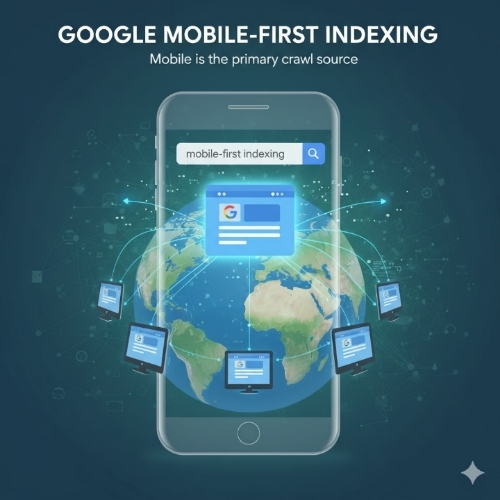
CMS platforms offer built-in SEO tools. WordPress has plugins like Yoast, while Drupal provides advanced metadata controls. Clean URLs and mobile-friendly designs also boost rankings.
Security Matters
Regular updates patch vulnerabilities. Plugins like Wordfence (WordPress) or Two-Factor Authentication (Drupal) add extra layers of protection.
Community & Cost
Free to start, but costs add up for hosting, themes, or plugins. However, ROI comes from saved time and increased traffic.
Real-World Success Stories
– WordPress: BBC America, Sony Music
– Joomla: Linux.com
– Drupal: NASA, Tesla
Choosing Your CMS
Consider your technical skills, budget, and site goals. Test free versions before committing.
Plugins, Themes, and Maintenance
Plugins add features (e.g., SEO tools); themes control design. Regular updates keep your site fast and secure.
Bustling Myths
– “CMS sites aren’t secure”: False! Properly maintained CMS sites are as safe as custom ones.
– “Only for blogs”: CMS platforms power e-commerce, forums, and more.
Team Collaboration & Mobile Magic
Assign roles (e.g., editor, admin) and collaborate in real-time. Responsive themes ensure your site looks great on phones.
Going Global
Plugins like WPML (WordPress) support multilingual sites. Accessibility tools help meet ADA standards.
Migration Made Simple
Export your content, pick a CMS, and import. Many platforms offer guides to ease the transition.
Important Questions, Answers, and Explanations
1. What are examples of businesses that benefited from a CMS?
Answer: The BBC uses WordPress for its easy content updates, while NASA relies on Drupal for handling vast data securely. 2. How do CMS platforms protect websites?
Answer: Automatic security updates, firewalls, and plugins like Sucuri scan for malware.
3. CMS vs. custom website costs?**
Answer: A CMS site costs $500–$2,000 upfront. Custom builds start at $10,000+ and lack built-in updates.
4. Common CMS transition challenges?
Answer: Learning curves and content migration hiccups. Start with training and backups.
5. How does a CMS improve user experience?
Answer: Faster load times, mobile-friendly designs, and intuitive navigation keep visitors engaged.
Summary
A CMS isn’t just a tool—it’s a strategic advantage. From simplifying updates to boosting SEO, platforms like WordPress, Joomla, and Drupal empower anyone to build a professional website. Whether you’re launching a blog or managing a corporate site, a CMS saves time, enhances security, and adapts to your needs. Ready to take control? Your digital future starts now.
#CMSBenefits #WebDevelopment #SEOStrategy #WebsiteSecurity #WordPressTips #JoomlaVsDrupal #DigitalTransformation #MobileFirstDesign #CostEffectiveWeb #TechForBeginners