Web Design Trends in 2025: The Future of Minimalism, Dark Mode, and Immersive Experiences
Discover the top web design trends for 2025! From dark mode to AI integration, learn how to create engaging, user-friendly websites. Perfect for beginners and pros alike. Click to explore!
Introduction
Web design is constantly evolving, and staying ahead of the curve is crucial for anyone in the digital space. Whether you’re a seasoned professional or just starting out, understanding the latest trends can make or break your online presence. In 2025, web design is set to take a bold leap forward, blending aesthetics with functionality in ways that captivate users and enhance their experience. From the rise of minimalism and dark mode to the integration of AI and immersive experiences, this article will guide you through the most innovative design elements shaping the future of the web. We’ll also explore how these trends impact user engagement, the importance of mobile-first design, and the role of color theory and typography in creating visually stunning websites. Ready to dive in? Let’s explore the web design trends you can’t afford to miss in 2025.
Web Design Trends You Can’t Miss in 2025
- Minimalism: Less is More
Minimalism continues to dominate web design, and for good reason. Clean layouts, ample white space, and simple navigation make websites easier to use and visually appealing. In 2025, expect to see even more websites stripping away unnecessary elements to focus on what truly matters: the user experience.
– Example:Apple’s website is a prime example of minimalism done right. Its clean design highlights products without overwhelming the user.
– Tip for Beginners:Start by removing clutter. Focus on essential elements like clear calls-to-action (CTAs) and intuitive navigation.
- Dark Mode: Aesthetic and Functional
Dark mode isn’t just a trend; it’s a user preference. It reduces eye strain, saves battery life, and adds a sleek, modern look to websites. In 2025, more websites will offer dark mode as a default or optional feature.
– Example:Twitter’s dark mode is a fan favorite, offering a comfortable reading experience in low-light environments.
– Tip for Beginners:Use high-contrast colors to ensure readability in dark mode. Test your design in both light and dark settings.
- Immersive Experiences: Engaging Users Like Never Before
Immersive experiences, such as 3D elements, virtual reality (VR), and interactive storytelling, are becoming increasingly popular. These features draw users in and keep them engaged longer.
– Example: The Nike website uses interactive product displays that allow users to explore items in detail.
– Tip for Beginners:Experiment with small interactive elements, like hover effects or scroll-triggered animations, to add depth to your design.
- Mobile-First Design: A Non-Negotiable
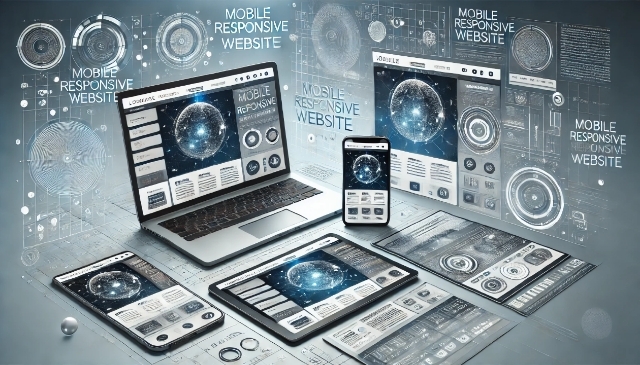
With over 60% of web traffic coming from mobile devices, mobile-first design is no longer optional. In 2025, responsive design will be more important than ever, ensuring websites look and function flawlessly on all screen sizes.
– Example:Airbnb’s mobile site offers the same seamless experience as its desktop version, with easy navigation and quick loading times.
– Tip for Beginners:Design for mobile first, then scale up. Use tools like Google’s Mobile-Friendly Test to check your site’s responsiveness.
- The Role of Color Theory in Modern Web Design
Color choices can evoke emotions, guide user behavior, and establish brand identity. In 2025, expect to see bold, unconventional color palettes that break away from traditional norms.
– Example:Spotify’s use of vibrant gradients creates a dynamic and energetic vibe.
– Tip for Beginners:Stick to a cohesive color scheme that aligns with your brand. Use tools like Adobe Color to explore complementary colors.
- Typography: Making a Statement
Typography is more than just choosing a font; it’s about creating hierarchy and enhancing readability. In 2025, custom fonts and oversized typography will be key trends.
– Example:The New York Times website uses elegant, readable fonts that enhance its editorial content.
– Tip for Beginners:Pair a bold headline font with a simple body font for contrast. Avoid using more than two or three fonts per page.
- Animation and Micro-Interactions: Small Details, Big Impact
Subtle animations and micro-interactions, like button hover effects or loading animations, can make a website feel more dynamic and engaging.
– Example:Google’s Material Design incorporates micro-interactions that provide feedback and enhance usability.
– Tip for Beginners:Use animations sparingly. Overdoing it can slow down your site and distract users.
- The Influence of Social Media on Web Design
Social media platforms are shaping how users interact with content. In 2025, websites will adopt social media-inspired features, such as infinite scrolling and story-style layouts.
– Example: Instagram’s grid layout has influenced countless portfolio websites.
– Tip for Beginners:Incorporate social sharing buttons and embed feeds to boost engagement.
- Predictions for Future Trends Beyond 2025
Looking ahead, expect to see more AI-driven personalization, voice user interfaces (VUIs), and augmented reality (AR) integrations. These technologies will redefine how users interact with websites.
– Tip for Beginners:Stay curious and keep an eye on emerging technologies. Experiment with AI tools like ChatGPT for content generation.
- Tools and Resources for Beginners
– Figma:A powerful design tool for creating prototypes and collaborating with teams.
– Canva: Great for beginners looking to create simple designs.
– Google Fonts:A free resource for finding and pairing fonts.
– Webflow: A no-code platform for building responsive websites.
- Common Pitfalls to Avoid
– Overloading your site with animations or heavy images.
– Ignoring accessibility guidelines.
– Failing to test your design on multiple devices.
Important Questions, Answers, and Explanations
Can you elaborate on how these trends enhance user engagement?
These trends enhance user engagement by creating visually appealing, intuitive, and interactive experiences. For example, minimalism reduces distractions, while dark mode improves readability. Immersive experiences and micro-interactions keep users hooked, and mobile-first design ensures accessibility for all users.
What are some practical steps beginners can take to start implementing these trends?
– Start with minimalism by simplifying your layout.
– Experiment with dark mode using high-contrast colors.
– Add small interactive elements like hover effects.
– Use tools like Figma and Canva to practice design skills.
How do these trends vary across different industries or types of websites?
Trends like minimalism and dark mode are universal, but their application varies. For example, e-commerce sites may focus on immersive product displays, while news sites prioritize readability and typography.
What resources or tools do you recommend for someone new to web design?
– Figma for prototyping.
– Canva for simple designs.
– Google Fonts for typography.
– Webflow for no-code website building.
Are there any specific design principles that should be prioritized alongside these trends?
Yes, prioritize accessibility, responsiveness, and usability. A beautiful design is meaningless if users can’t navigate your site or access its content.
Summary
Web design in 2025 is all about blending aesthetics with functionality. From minimalism and dark mode to immersive experiences and mobile-first design, these trends are shaping the future of the web. By focusing on user experience, accessibility, and innovative design elements, you can create websites that captivate and engage your audience. Whether you’re a beginner or a pro, staying ahead of these trends will ensure your online presence remains fresh and relevant.
#WebDesignTrends #UXDesign #Minimalism #DarkMode #ImmersiveDesign #MobileFirst #ColorTheory #Typography #WebDevelopment #AIIntegration