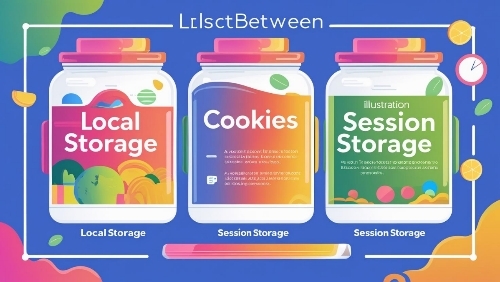
Local Storage vs. Cookies vs. Session Storage: The Ultimate Guide to Choosing Right
Confused about when to use Local Storage, Cookies, or Session Storage? This guide breaks down the differences, key use cases, and best practices—so you can store data like a pro.
Introduction
You’ve probably heard of cookies—no, not the chocolate chip kind. But what about Local Storage and Session Storage? If you’ve ever wondered why websites use different storage methods or which one is best for your project, you’re not alone. Some developers use them interchangeably, others swear by one over the rest, and a few don’t even realize they’re making the wrong choice.
What if I told you that picking the wrong storage method could slow down your site, expose sensitive data, or even break user sessions? Suddenly, the decision matters a lot more. Let’s clear up the confusion—once and for all.
Local Storage, Cookies, and Session Storage: Key Differences, Use Cases & Best Practices
1. Local Storage
Difference: Stores data persistently (even after browser close) with a 5-10MB limit. Data stays until manually cleared.
Use Cases: Saving user preferences (dark mode, language), caching large datasets, offline app data.
Best Practices: Avoid storing sensitive info (no encryption), use JSON for structured data, and clear unused data to prevent bloat.
2. Cookies
Difference: Small (4KB max), sent with every HTTP request, and can expire or persist.
Use Cases: Authentication tokens, session IDs, tracking user behavior (with consent).
Best Practices: Use `HttpOnly` and `Secure` flags for security, set proper expiration, and minimize cookie size to reduce overhead.
3. Session Storage
Difference: Similar to Local Storage but clears when the tab/browser closes. Also 5-10MB limit.
Use Cases: Storing temporary form data, multi-step workflows, or single-session variables.
Best Practices: Ideal for sensitive data (since it auto-clears), but don’t rely on it for long-term storage.
How to Store Data Like a Pro
– Need persistence? → Local Storage.
– Server needs the data? → Cookies.
– Temporary, tab-specific data? → Session Storage.
– Security first? Use `HttpOnly` Cookies for auth, avoid storing secrets in Local/Session Storage.
– Performance? Cookies add overhead; prefer Local/Session Storage for large client-side data.
By matching the right storage to the task, you’ll optimize speed, security, and user experience.
Important Phrases Explaine
1. Client-Side Storage
Client-side storage refers to saving data directly in the user’s browser instead of on a server. This includes Local Storage, Cookies, and Session Storage. It’s useful for quick access, reducing server load, and improving performance.
2. Persistent Data
Persistent data stays in the browser even after closing it. Local Storage and Cookies can store persistent data, while Session Storage clears when the tab closes.
3. Same-Origin Policy
This security feature restricts how data from one website can interact with another. Local Storage and Session Storage follow this rule strictly, while Cookies can be accessed across domains if configured.
4. Storage Capacity
Local Storage offers the most space (5-10MB), Session Storage is similar but temporary, and Cookies are limited to about 4KB. Choose based on how much data you need to store.
5. HTTP-Only Cookies
These are special cookies that can’t be accessed by JavaScript, making them more secure against certain attacks. They’re ideal for authentication tokens.
Questions Also Asked by Other People Answered
1. Can Local Storage replace Cookies entirely?
No. While Local Storage has more space, Cookies are essential for server-side reading (like authentication). Local Storage is JavaScript-only, making it unsuitable for some backend needs.
2. Is Session Storage faster than Local Storage?
Not necessarily. Both are similar in speed, but Session Storage clears when the tab closes, making it better for temporary data like form inputs during a single session.
3. Are Cookies insecure?
They can be if misused. Regular Cookies are accessible via JavaScript, making them vulnerable to XSS attacks. HTTP-Only and Secure Cookies minimize these risks.
4. Why would I use Local Storage over a database?
Local Storage is client-side, meaning no server calls—ideal for offline apps or caching. However, databases handle larger, structured data better.
5. Do all browsers support these storage methods?
Most modern browsers do, but some older ones (like IE7) have limited support. Always check compatibility if targeting legacy systems.
Summary
Choosing between Local Storage, Cookies, and Session Storage depends on your needs. Cookies are best for small, server-readable data (like login tokens). Local Storage is great for larger, persistent client-side data (like user preferences). Session Storage works well for temporary data that shouldn’t persist beyond a single session. Understanding these differences ensures better performance, security, and user experience.
#WebDevelopment #FrontEnd #JavaScript #DataStorage #Cookies #LocalStorage #SessionStorage #WebDevTips #Programming #TechGui